S3 Backups
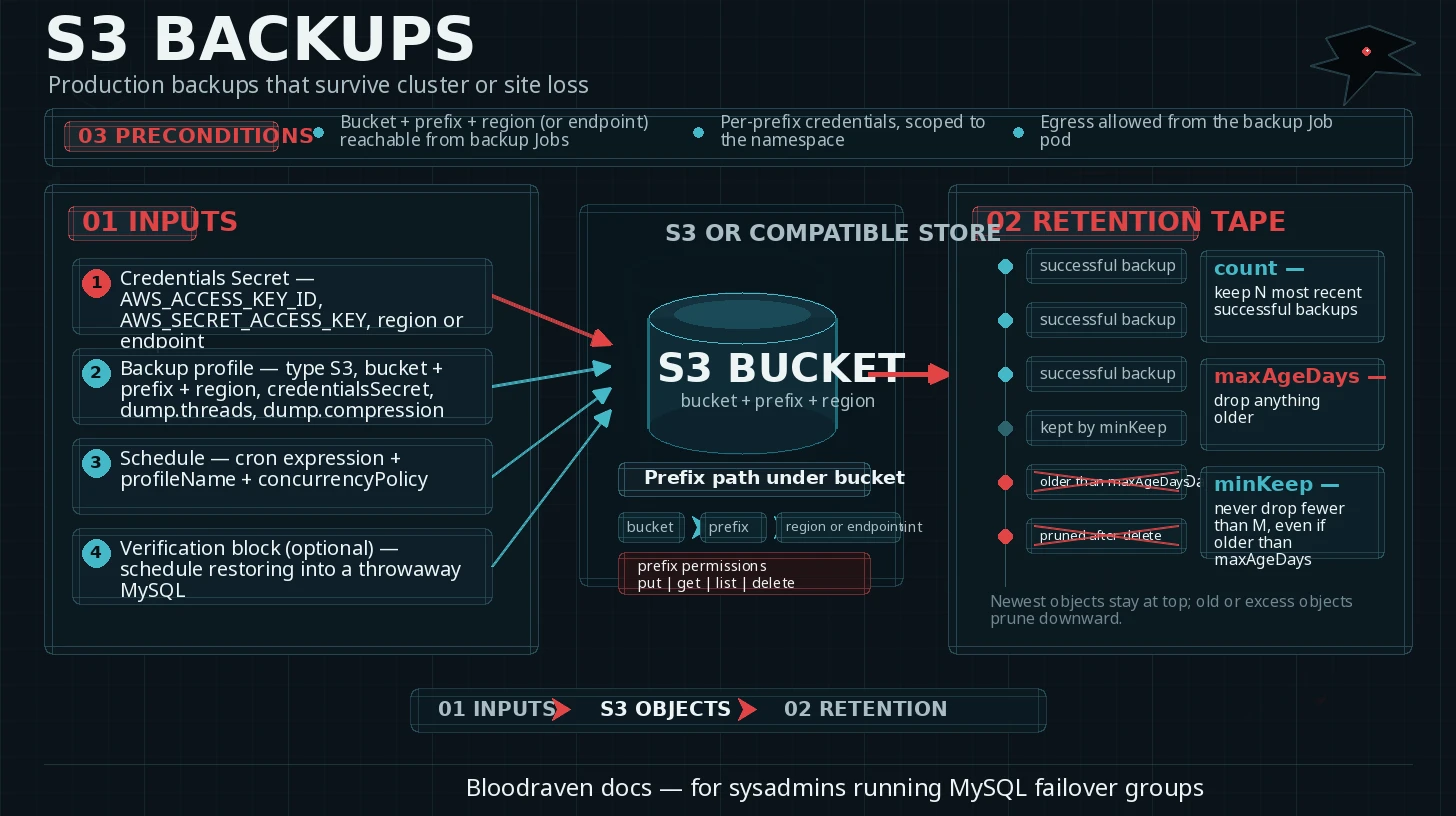
Use S3 or an S3-compatible object store for production backups that must survive cluster or site loss.
Prerequisites
- A bucket, prefix, and region or endpoint URL.
- Credentials that can put, get, list, and delete objects under the backup prefix.
spec.credentials.backupSecretor operator credentials with backup privileges.- Network egress from backup Jobs to the S3 endpoint.
Credentials Secret
kubectl create secret generic orders-s3-backup -n orders \
  --from-literal=AWS_ACCESS_KEY_ID='replace-with-access-key' \
  --from-literal=AWS_SECRET_ACCESS_KEY='replace-with-secret-key' \
  --from-literal=AWS_REGION='us-east-1'
Profile and schedule
apiVersion: shipstream.io/v1alpha1
kind: MysqlFailoverGroup
metadata:
  name: orders
  namespace: orders
spec:
  backup:
    image: container-registry.oracle.com/mysql/community-server:9.7
    maxLagSecondsForSource: 300
    profiles:
      - name: s3-daily
        storage:
          type: S3
          s3:
            bucket: orders-mysql-backups
            prefix: prod/orders
            region: us-east-1
            credentialsSecret: orders-s3-backup
        dump:
          threads: 4
          compression: zstd
        retentionPolicy:
          count: 14
          maxAgeDays: 35
          minKeep: 2
        verification:
          enabled: true
          schedule: "30 8 * * *"
    schedules:
      - name: nightly
        profileName: s3-daily
        schedule: "0 6 * * *"
        timeZone: Etc/UTC
        concurrencyPolicy: Forbid
The snippet shows only spec.backup; keep your existing sites, credentials, tls, and dns fields in the same failover group.
On-demand backup
apiVersion: shipstream.io/v1alpha1
kind: MysqlBackup
metadata:
  name: orders-manual-20260427
  namespace: orders
spec:
  failoverGroupRef:
    name: orders
  profileName: s3-daily
  triggeredBy: manual
Apply and check status:
kubectl apply -f orders-manual-backup.yaml
kubectl get mysqlbackup orders-manual-20260427 -n orders -o wide
kubectl describe mysqlbackup orders-manual-20260427 -n orders
List artifacts
aws s3 ls s3://orders-mysql-backups/prod/orders/ --recursive
For MinIO or another compatible store:
AWS_ACCESS_KEY_ID=minio AWS_SECRET_ACCESS_KEY=minio123 \
aws --endpoint-url https://minio.example.com \
  s3 ls s3://orders-mysql-backups/prod/orders/ --recursive
S3-compatible endpoint
storage:
  type: S3
  s3:
    bucket: orders-mysql-backups
    prefix: lab/orders
    region: us-east-1
    endpointURL: https://minio.minio.svc.cluster.local:9000
    credentialsSecret: orders-s3-backup
Restore from S3
warning
Restore into a new failover group or a deliberately prepared recovery environment first. Confirm the target DNS name cannot receive production writes until validation is complete.
apiVersion: shipstream.io/v1alpha1
kind: MysqlFailoverGroup
metadata:
  name: orders-restore
  namespace: orders
spec:
  initFromBackup:
    source:
      s3:
        bucket: orders-mysql-backups
        prefix: prod/orders/orders-manual-20260427
        region: us-east-1
        credentialsSecret: orders-s3-backup
Include the normal sites, credentials, and dns fields in the recovery failover group.
Common failures
| Failure | Check |
|---|---|
| Bad credentials | kubectl describe job -n orders, S3 access denied messages |
| Bucket permissions | IAM policy for prefix, list permissions on bucket |
| Region mismatch | Secret AWS_REGION, profile region, bucket region |
| Endpoint TLS issues | CA trust for S3-compatible endpoint, endpoint URL scheme |
| PVC or node eviction during dump | spec.backup.stagingVolumeSizeLimit, pod events |