Production install examples
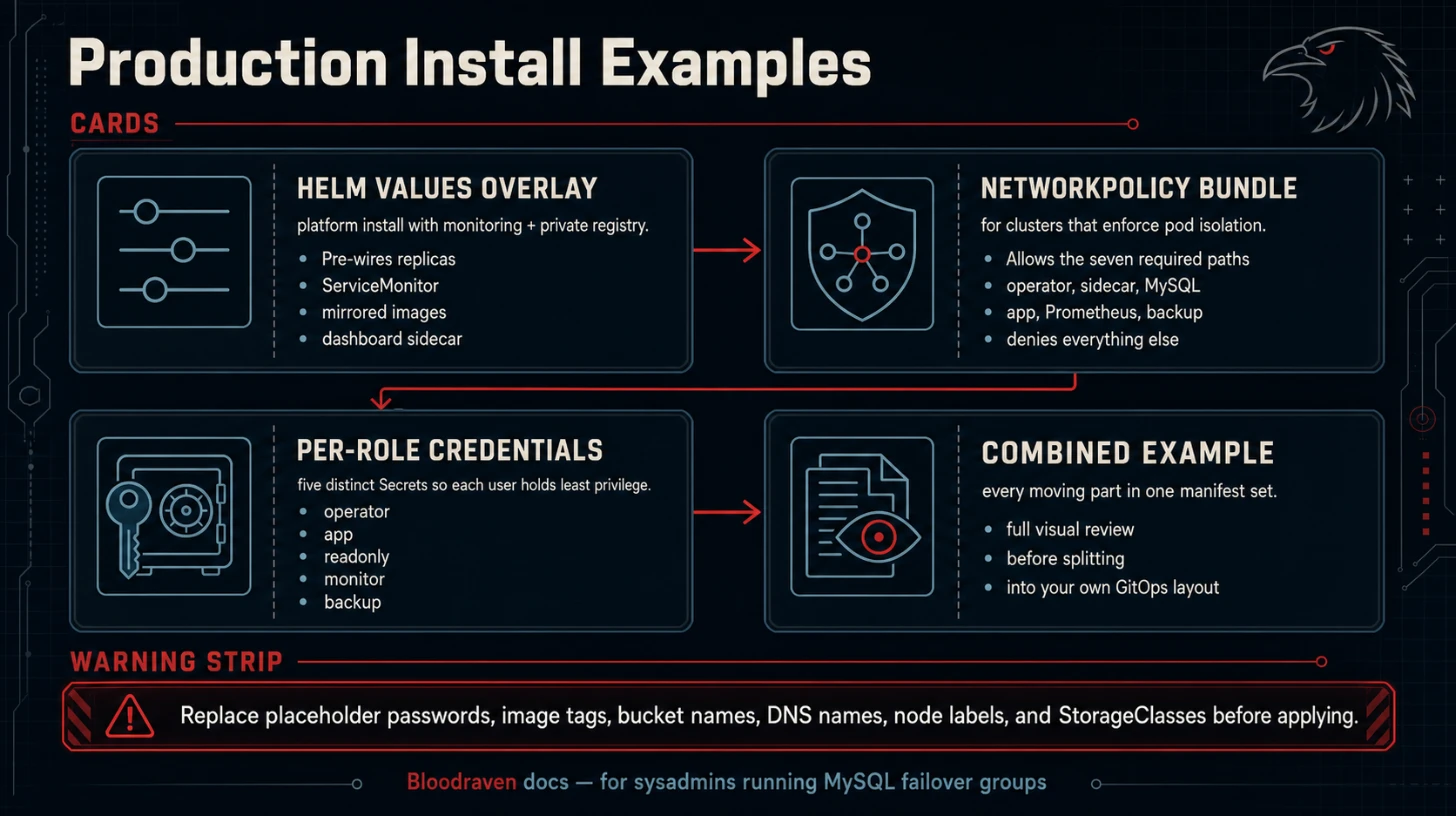
These examples are starting points for production installs. They are not a substitute for environment-specific review, but they capture the manifests operators otherwise have to assemble by hand.
:::tip Guided install Use Production Install for the ordered production installation path. This page keeps larger snippets that are referenced from that guide. :::
When to use these examples
| Example | Use when |
|---|---|
| Helm values overlay | Platform team installs the operator with monitoring and private images. |
| NetworkPolicy | Cluster enforces namespace or pod network boundaries. |
| Per-role credentials | New production failover group. |
| Full combined example | Reviewing all moving parts in one manifest set. |
Helm values overlay
# values-production.yaml
replicaCount: 2

image:
  repository: registry.example.com/bloodraven
  tag: v0.1.0
  pullPolicy: IfNotPresent

imagePullSecrets:
  - name: private-registry

leaderElection:
  enabled: true

resources:
  requests:
    cpu: 250m
    memory: 256Mi
  limits:
    cpu: 1
    memory: 512Mi

metrics:
  service:
    enabled: true
  serviceMonitor:
    enabled: true
    interval: 15s
    labels:
      release: prometheus

grafanaDashboards:
  enabled: true
  namespace: monitoring

auxiliary:
  service:
    enabled: true
    type: ClusterIP
    wsAllowedOrigins: https://dashboard.example.com
    wsMaxClients: 100
Install with:
helm upgrade --install bloodraven bloodraven/bloodraven \
  --namespace bloodraven --create-namespace \
  -f values-production.yaml
If Argo CD owns CRDs separately, commit the CRDs under charts/bloodraven/crds/ or your platform CRD app and install the operator chart after that CRD app syncs. Helm installs chart CRDs on first install but does not upgrade them automatically.
NetworkPolicy
The auxiliary HTTP and sidecar HTTP endpoints are intentionally internal
and unauthenticated. Restrict them to the operator, dashboard, and
Prometheus namespaces that need access. The sidecar also needs to reach
the operator auxiliary endpoint on :8082 for /active-site checks.
apiVersion: networking.k8s.io/v1
kind: NetworkPolicy
metadata:
  name: bloodraven-operator-ingress
  namespace: bloodraven
spec:
  podSelector:
    matchLabels:
      app.kubernetes.io/name: bloodraven
  policyTypes: [Ingress]
  ingress:
    - from:
        - namespaceSelector:
            matchLabels:
              kubernetes.io/metadata.name: monitoring
      ports:
        - protocol: TCP
          port: 8080
    - from:
        - namespaceSelector:
            matchLabels:
              kubernetes.io/metadata.name: bloodraven-dashboard
        - namespaceSelector:
            matchLabels:
              kubernetes.io/metadata.name: tenant-db
          podSelector:
            matchLabels:
              app.kubernetes.io/name: mysql
              app.kubernetes.io/managed-by: bloodraven
              shipstream.io/failover-group: orders
      ports:
        - protocol: TCP
          port: 8082
---
apiVersion: networking.k8s.io/v1
kind: NetworkPolicy
metadata:
  name: orders-mysql-ingress
  namespace: tenant-db
spec:
  podSelector:
    matchLabels:
      app.kubernetes.io/name: mysql
      app.kubernetes.io/managed-by: bloodraven
      shipstream.io/failover-group: orders
  policyTypes: [Ingress]
  ingress:
    - from:
        - namespaceSelector:
            matchLabels:
              kubernetes.io/metadata.name: bloodraven
      ports:
        - protocol: TCP
          port: 3306
        - protocol: TCP
          port: 8080
    - from:
        - podSelector:
            matchLabels:
              app.kubernetes.io/name: mysql
              app.kubernetes.io/managed-by: bloodraven
              shipstream.io/failover-group: orders
      ports:
        - protocol: TCP
          port: 8080
    - from:
        - podSelector: {}
      ports:
        - protocol: TCP
          port: 3306
Adjust selectors to match your chart labels and namespace layout. If
your CNI defaults to deny egress, also permit the operator to reach MySQL
:3306, sidecar :8080, the Kubernetes API, and DNS, and permit sidecars
to reach the operator auxiliary Service on :8082.
PrometheusRule
apiVersion: monitoring.coreos.com/v1
kind: PrometheusRule
metadata:
  name: bloodraven-alerts
  namespace: monitoring
  labels:
    release: prometheus
spec:
  groups:
    - name: bloodraven.failover
      rules:
        - alert: BloodravenOperatorDown
          expr: up{job="bloodraven"} == 0
          for: 2m
          labels:
            severity: critical
          annotations:
            summary: Bloodraven operator is down
            description: No failover decisions run while the operator is unavailable.

        - alert: BloodravenNoWritableSite
          expr: max by (namespace, group) (bloodraven_site_state{state="writable"}) == 0
          for: 30s
          labels:
            severity: critical
          annotations:
            summary: No Bloodraven site is writable

        - alert: BloodravenFailoverOccurred
          expr: increase(bloodraven_failovers_total[5m]) > 0
          labels:
            severity: warning
          annotations:
            summary: Bloodraven failover promoted {{ $labels.target_site }}

        - alert: BloodravenDivergentTransactions
          expr: bloodraven_divergent_transactions > 0
          labels:
            severity: critical
          annotations:
            summary: Divergent GTIDs detected on {{ $labels.site }}
            description: Review data loss and reclone the diverged site before rejoining it.

        - alert: BloodravenReplicationLagging
          expr: bloodraven_replication_lag_seconds > 300
          for: 2m
          labels:
            severity: warning
          annotations:
            summary: Bloodraven replication lag is high on {{ $labels.site }}

    - name: bloodraven.backup
      rules:
        - alert: BloodravenBackupStale
          expr: time() - bloodraven_backup_last_success_timestamp_seconds > 86400
          for: 15m
          labels:
            severity: warning
          annotations:
            summary: Bloodraven backup is stale for {{ $labels.group }}/{{ $labels.profile }}

        - alert: BloodravenBackupVerificationStale
          expr: time() - bloodraven_backup_verified_timestamp_seconds > 172800
          for: 15m
          labels:
            severity: warning
          annotations:
            summary: Bloodraven backup verification is stale

        - alert: BloodravenPITRArchiveLagging
          expr: bloodraven_archiver_backlog_files > 0
          for: 10m
          labels:
            severity: warning
          annotations:
            summary: Bloodraven PITR archiver backlog exists on {{ $labels.site }}

        - alert: BloodravenPITRUploadFailures
          expr: increase(bloodraven_archiver_upload_failures[15m]) > 0
          labels:
            severity: warning
          annotations:
            summary: Bloodraven PITR upload failures on {{ $labels.site }}
Tune thresholds to your RPO/RTO. For example, lower the backup freshness threshold if your backup schedule runs hourly.
Cloudflare external-dns
Bloodraven writes DNSEndpoint CRs. Cloudflare-specific credentials and
zone configuration live in your external-dns deployment, not in
Bloodraven.
Example external-dns arguments:
args:
  - --source=crd
  - --crd-source-apiversion=externaldns.k8s.io/v1alpha1
  - --crd-source-kind=DNSEndpoint
  - --provider=cloudflare
  - --cloudflare-proxied=false
  - --domain-filter=az.example.com
  - --txt-owner-id=bloodraven-prod
  - --policy=sync
Use DNS-only records (--cloudflare-proxied=false) for MySQL. Cloudflare
proxying is HTTP-oriented and is not appropriate for raw MySQL traffic.
Store the Cloudflare token in a Secret consumed by external-dns. The token should be scoped to the specific zone Bloodraven manages.
k3s storage guidance
- Do not use the default local-path provisioner for production MySQL.
- Use a topology-aware network storage provider that can bind volumes to the intended site and survive node replacement.
- Prefer
volumeBindingMode: WaitForFirstConsumerso Kubernetes waits for scheduling constraints before binding a PVC. - Use
reclaimPolicy: Retainfor MySQL data PVCs. - Test PVC deletion and reclone in a staging cluster before onboarding a tenant.
Example StorageClass shape:
apiVersion: storage.k8s.io/v1
kind: StorageClass
metadata:
  name: mysql-retained
provisioner: example.csi.driver
volumeBindingMode: WaitForFirstConsumer
allowVolumeExpansion: true
reclaimPolicy: Retain
parameters:
  type: ssd
Example failover group hardening
apiVersion: shipstream.io/v1alpha1
kind: MysqlFailoverGroup
metadata:
  name: orders
  namespace: tenant-db
spec:
  image: container-registry.oracle.com/mysql/community-server:9.7
  sidecarImage: ghcr.io/shipstream/bloodraven-sidecar:v0.1.0
  updateStrategy: OrderedUpdate
  failoverCooldown: 5m
  replication:
    maxLagSeconds: 60
  credentials:
    operatorSecret: orders-mysql-operator
    appSecret: orders-mysql-app
    readOnlySecret: orders-mysql-readonly
    monitorSecret: orders-mysql-monitor
    backupSecret: orders-mysql-backup
  dns:
    hostname: orders.az.example.com
    ttl: 30
  backup:
    pitr:
      enabled: true
      profileName: minio
      maxBinlogSize: 64M
    profiles:
      - name: minio
        storage:
          type: s3
          s3:
            bucket: shipstream-backups
            prefix: orders
            endpoint: https://s3.example.com
            region: us-east-1
            credentialsSecret: orders-backup-s3
        encryption:
          passphraseSecret:
            name: orders-backup-passphrase
            key: passphrase
        verification:
          enabled: true
          schedule: "17 */6 * * *"
          sanityCheck:
            query: "SELECT COUNT(*) FROM information_schema.tables"
            expect:
              minRows: 1
  sites:
    - name: iad
      zone: iad-1a
      taintNodeSelector:
        shipstream.io/failover-group.orders: "true"
        shipstream.io/site.orders: iad
      lbIP: 10.0.1.10
      storage:
        storageClassName: mysql-retained
        size: 500Gi
    - name: pdx
      zone: pdx-1a
      taintNodeSelector:
        shipstream.io/failover-group.orders: "true"
        shipstream.io/site.orders: pdx
      lbIP: 10.0.2.10
      storage:
        storageClassName: mysql-retained
        size: 500Gi
Pair this with the production hardening checklist and known limitations before deploying real tenant data.